Your family's game schedule, finally in one place.
Practices, games, and tournaments across every kid — shared with the other parent, grandparents, and caregivers, so nobody misses a thing.


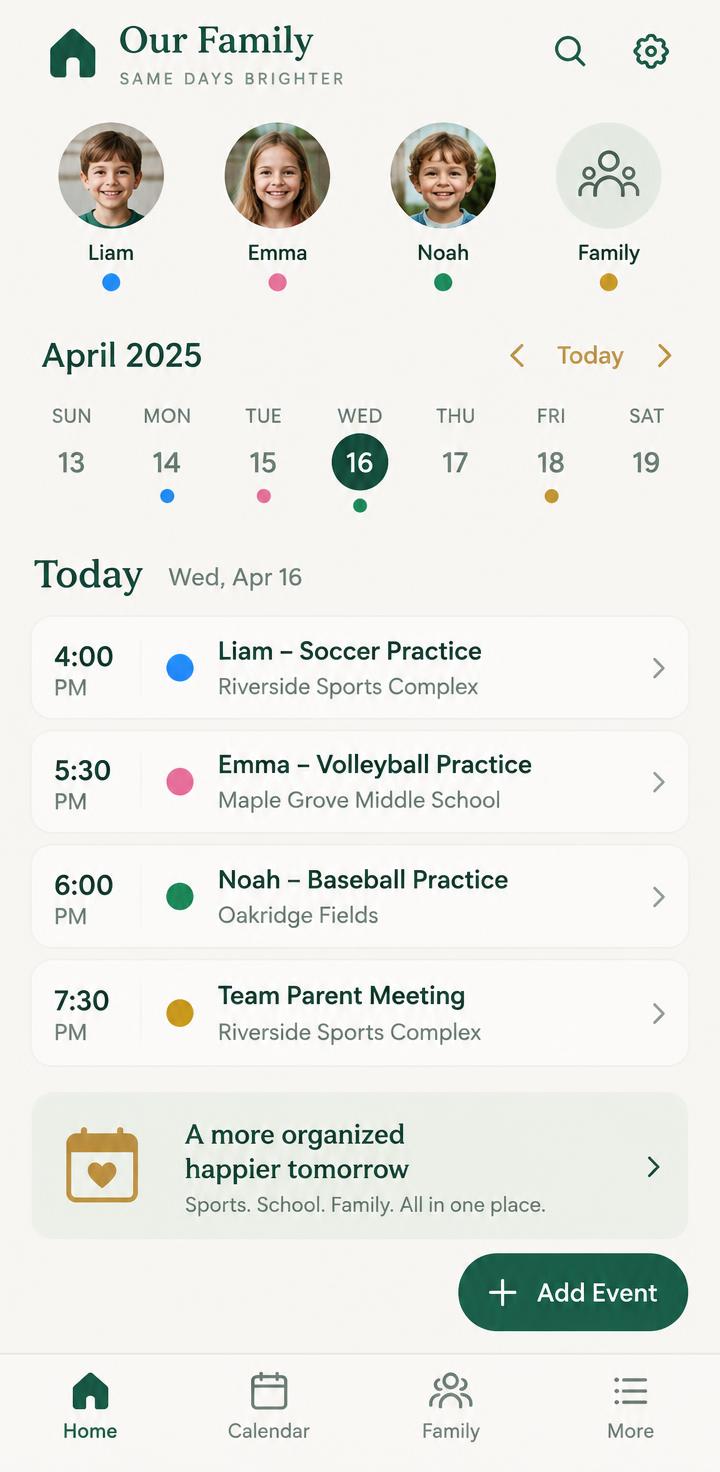
One shared calendar — everyone in the household sees the same schedule.
Snap a schedule — photograph a team flyer and it becomes events.
Never scramble — reminders with a “leave by” time before every event.
Everything a busy family needs, nothing it doesn't.
Every kid, color-coded
See all your children's games and practices at a glance.
Share with your people
Co-parents, grandparents, and sitters stay in sync automatically.
Photo schedule import
Turn a team schedule or flyer into events in seconds.
Smart reminders
A nudge before each event, with a leave-by time so you're on time.
Venues & to-dos
Locations, notes, and tasks so nothing slips.
Calendar sync
Bring games and practices into the calendar you already use.
How it works
Add your family
Set up your household and your kids.
Add or import events
Type them in, or snap a photo of the schedule.
Everyone stays in sync
The whole household sees it and gets reminders.
Simple pricing
HiveDays Free
- Up to 2 children
- Up to 2 caregivers
- Unlimited events, venues & tasks
- Event reminders
- 3 photo scans per month
HiveDays Plus
Household- Unlimited children
- Unlimited caregivers
- Unlimited photo scans
- Advanced reminders & departure alerts
- Calendar sync
- Multiple households
- Monthly or annual. Billed through the App Store.
Plus is a household subscription — one plan covers everyone in your family.
Questions, answered
Is HiveDays free?+
Yes — a free plan covers a small family. Plus unlocks unlimited kids, caregivers, and more.
Which devices does it work on?+
iPhone and Android — download HiveDays from the App Store or Google Play.
Can both parents use it?+
Yes — that's the point. Invite the other parent and caregivers to one shared household.
How does the photo import work?+
Snap a photo of a schedule or flyer and HiveDays turns it into events for you to review and confirm.
How do I get started?+
Download the app, set up your household, and invite the people who help.
Get HiveDays today.
Download the app and bring your family's whole season into one place.